How to Track Your Spending: A Beginner's Complete Guide
You can't fix what you can't see. Tracking your spending is the single most impactful thing you can do for your finances.

Why Tracking Your Spending Changes Everything
Ask anyone who's transformed their finances what the single most important step was, and most will say the same thing: "I started tracking where my money was going."
It sounds simple, but it's profoundly powerful. Most people have only a vague sense of their spending patterns. They know the big numbers — rent, car payment — but the hundreds of smaller transactions each month blur together into a financial fog.
When you start tracking, the fog lifts. Suddenly you see that you're spending $300/month on convenience store runs, or $180/month on food delivery apps, or $90/month on subscriptions you forgot about. These aren't bad expenses necessarily — but you can't make informed decisions about them if you don't know they exist.
Spending tracking is the foundation that makes every other financial strategy possible. Budgeting, saving, debt payoff, investing — none of these work well without knowing where your money actually goes.
Method 1: The Pen and Paper Approach
The simplest method: carry a small notebook and write down every purchase as you make it. At the end of each week, categorize and total your spending.
Pros: - Zero cost - Forces mindfulness about each purchase - No technology required
Cons: - Easy to forget transactions - Time-consuming to categorize and total - No charts, trend analysis, or automation - Doesn't track automatic payments
This method works best as a short-term experiment — try it for one or two weeks to build awareness. For long-term tracking, most people need something more automated.
Method 2: Spreadsheet Tracking
Create a simple spreadsheet with columns for date, description, amount, category, and payment method. Enter transactions daily or weekly.
Pros: - Free (Google Sheets, Excel) - Fully customizable - Can create your own charts and formulas - Good for people who like working with data
Cons: - Manual data entry is tedious - Requires discipline to maintain - Easy to fall behind and lose the habit - No automatic bank integration
The spreadsheet approach works well for detail-oriented people who enjoy working with numbers. If you go this route, set a specific time each day (like after dinner) to enter that day's transactions. Making it a routine dramatically increases consistency.
Method 3: Expense Tracking Apps
Modern expense tracking apps connect directly to your bank accounts and automatically pull in transactions. This is the most effortless method and the one most likely to be sustained long-term.
Pros: - Automatic transaction import from all accounts - AI-powered categorization - Visual charts and analytics - Accessible on phone and computer - Can set alerts and budget limits - Tracks spending across all accounts in one view
Cons: - Some apps have monthly fees - Requires granting read-only access to bank accounts - Can feel overwhelming with too many features
For most people, an app is the best choice for sustained spending tracking. The automatic nature removes the biggest barrier — the tedious manual work that causes most tracking efforts to fail.
When choosing an app, prioritize these features: automatic bank syncing (so you don't need to enter anything manually), smart transaction categorization (so you don't need to tag purchases), and clean visual analytics (so you can actually understand the data).
What Categories to Track
Don't overcomplicate your categories. Start with these essential ones:
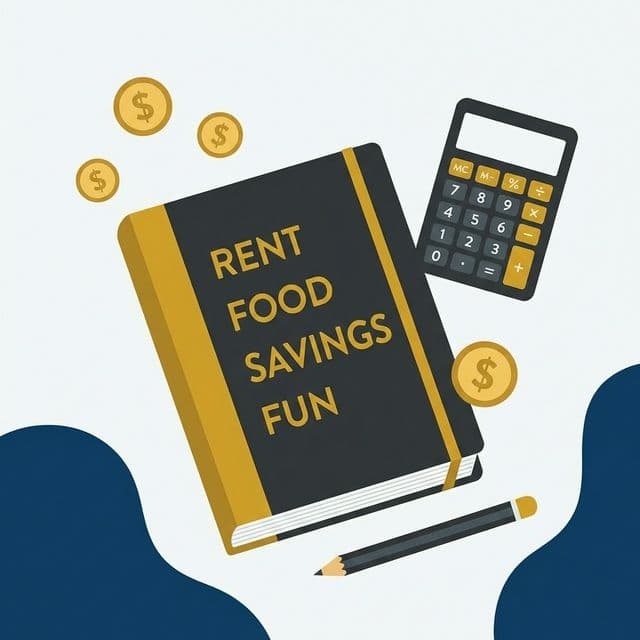
Fixed Expenses (predictable monthly amounts): - Housing (rent/mortgage) - Utilities - Insurance - Loan payments - Subscriptions
Variable Necessities (needed but amounts vary): - Groceries - Transportation (gas, transit) - Healthcare/medical - Phone/internet
Discretionary Spending (wants): - Dining out/food delivery - Entertainment/recreation - Shopping/clothing - Personal care - Hobbies
Financial Goals: - Savings - Extra debt payments - Investments
You can always add more specific sub-categories later, but starting with 12–15 broad categories covers the vast majority of transactions. The goal is insight, not accounting precision.
How to Analyze Your Spending Data
Tracking is only valuable if you actually look at the data. Here's how to turn raw numbers into actionable insights:
Weekly glance (2 minutes): Check your total spending for the week. Is it roughly on track? Any surprises?
Monthly deep-dive (15 minutes): At month-end, review your spending by category. Ask yourself: - Which category had the highest spending? - Was any category surprisingly high? - Did any category come in well under what I expected? - Where did my "wants" spending go?
Quarterly trends (10 minutes): Every three months, look at how your spending categories have changed over time. Are you spending more on dining out than three months ago? Has your grocery bill decreased? Trend analysis reveals gradual shifts you might miss month to month.
The "shock test": When you see a number that shocks you — "$450 on food delivery this month?!" — that's the most valuable data point. It highlights unconscious spending that you now have the power to change.
Building the Tracking Habit
The best tracking method is the one you'll actually use consistently. Here are tips for building a lasting habit:
Start with observation only. For the first month, don't try to change anything. Just track and observe. Attempting to budget and track simultaneously is overwhelming.
Use your phone. If your tracking method isn't on your phone, you won't do it consistently. Your phone is always with you.
Set a weekly review reminder. Sunday evening is a popular time for a five-minute spending review. Put it on your calendar.
Don't beat yourself up. If you miss a few days of tracking, don't abandon the effort. Pick it back up. Imperfect tracking is infinitely better than none.
Celebrate the awareness. Finding a $50/month spending leak you didn't know about is a win — you just found $600/year. That's the value of tracking in action.
How Kinshi Makes Tracking Effortless
The number one reason people stop tracking their spending is the manual work involved. Kinshi eliminates this barrier completely.
Connect your bank accounts through Plaid's secure, read-only connection, and every transaction is automatically imported. Kinshi's Google Gemini AI categorizes each transaction intelligently — "AMZN Mktp US" becomes "Shopping," "SHELL OIL" becomes "Transportation."
The web dashboard shows interactive spending breakdowns with charts you can filter by category, account, or custom date range. The iOS app puts the same data in your pocket with beautiful visual summaries and the "Safe to Spend" widget.
No manual entry. No spreadsheets. No forgetting to log purchases. Just automatic, AI-powered spending visibility that updates as transactions happen.
Take control of your finances.
Kinshi makes spending tracking completely automatic. Connect your accounts, and every transaction is pulled in and categorized by AI. No manual entry, no spreadsheets — just clear visibility into your money.
Join thousands who are mastering their money with Kinshi. Free to start, no credit card required.